Short answer: when you upgrade from Plus (or Go) to Pro on chatgpt.com, you are charged right away for a full month of Pro, minus whatever is left of your current plan for this billing period. It is not a small top-up of the difference, and it does not wait for your next renewal.
Upgrade the day after a Plus renewal and Pro 100 costs about $80 that day; upgrade near the end of the Plus month and it is close to the full $100. Your billing date also moves to the upgrade day, and from the next month you pay the full Pro price.
On cards we issued, 11 upgrade charges match this formula to within 5 cents, and all 40 declined upgrade attempts we saw came down to the card not covering that one charge (or, twice, a wrong expiry date). Steps, the math, real examples and how much to keep on the card are below.
Written by the Pink Card team (pinkcard.cc). OpenAI’s rules are from its Help Center (“What is ChatGPT Go?”, “Managing billing for ChatGPT and the API platform”, “About ChatGPT Pro tiers”), checked without signing in on 2026-11-17 and 2026-11-20 (Beijing time). The Help Center does not give a formula for the upgrade charge; the one below is worked back from real charges, and your own checkout page is what counts. Charge data comes from cards we issued, merchant OPENAI *CHATGPT SUBSCR, 2026-05-18 00:00 to 2026-11-20 00:00 UTC, de-duplicated by transaction ID, excluding reseller and internal test cards: 1,244 records, 562 successful charges on 290 cards ($29,500.86) and 677 declines. No customer details are shown. Pink Card has no official relationship with OpenAI.
Plans and prices
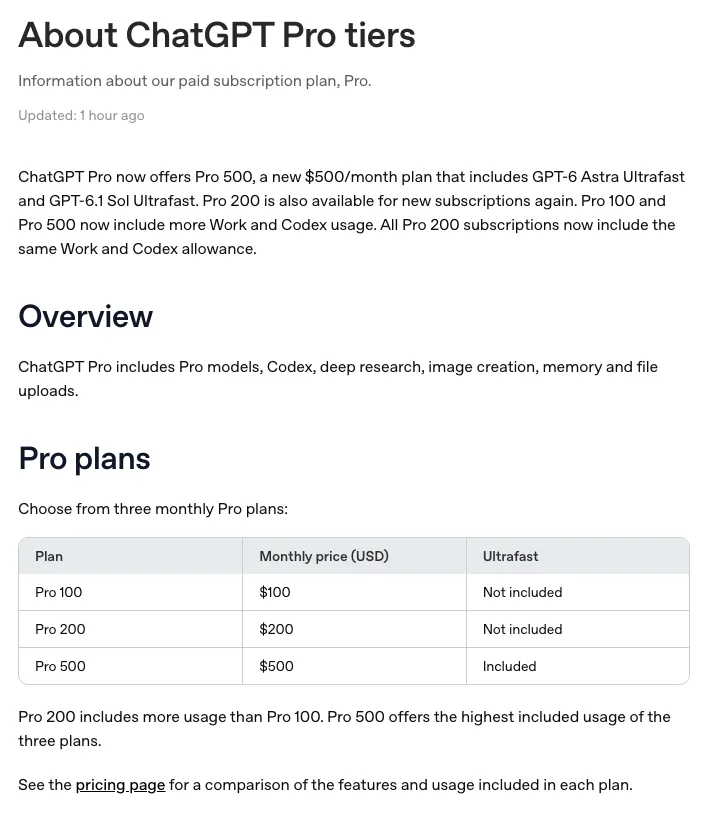
- Go $8, Plus $20, and three Pro tiers: Pro 100 ($100), Pro 200 ($200) and Pro 500 ($500), all per month and before tax.
- Per the OpenAI Help Center, Go, Plus and Pro are monthly only: no annual billing and no paying several months ahead. So an upgrade is always month to month.
- If tax is added for your billing address, the card is charged a bit more on both sides, for example Plus at $21.78 and Pro 100 at $108.90 (the same 8.9% rate).
How to upgrade (web subscription)
- Sign in on chatgpt.com, select your profile icon, then Upgrade plan, and pick Pro 100 or Pro 200.
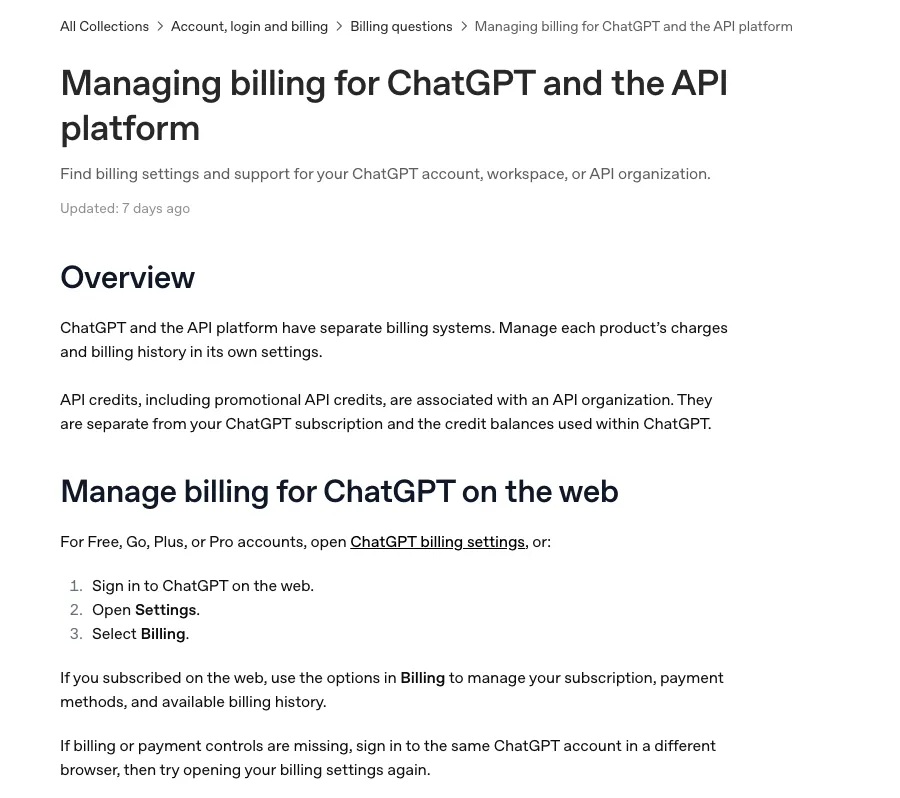
- The checkout page shows what you will pay today. Read that number and make sure the card can cover it plus our $1 per-transaction fee.
- Pay with the card already saved, and click once. If you add a new card, enter the cardholder name exactly as in the card email, and a billing address in the same place your internet connection exits, down to the city.
- Once it goes through, your plan shows Pro and Pro limits apply immediately. Settings → Billing shows the new renewal date, which is now the upgrade day.
- Subscribed in the iPhone or Android app? Then Apple or Google Play bills you, and upgrades, card changes and cancelling follow the app store’s rules, not this page.
What you pay that day: a full month of Pro minus what is left of the old plan
Worked back from our cards, the upgrade charge is: the new plan’s monthly price − the old plan’s monthly price × days left in the current period ÷ days in the period. The period runs from your last charge to the same moment next month (30 or 31 days). The old plan counts at its list price, not what you happened to pay; if tax applies, both sides are taken with tax.
| Upgrade | Time on the old plan | Formula | Formula gives | Card was charged |
|---|---|---|---|---|
| Plus → Pro 100 | about 4 days (30-day period) | $100 − $20 × 26.03 ÷ 30 | $82.65 | $82.65 |
| Plus ($21.78 with tax) → Pro 100 ($108.90 with tax) | about 6.5 hours (30-day period) | $108.90 − $21.78 × 29.73 ÷ 30 | $87.32 | $87.30 |
| Plus ($21.69 with tax) → Pro 100 ($108.45 with tax) | about 21.3 days (31-day period) | $108.45 − $21.69 × 9.72 ÷ 31 | $101.65 | $101.65 |
| Plus → Pro 200 | about 3.3 days (31-day period) | $200 − $20 × 27.71 ÷ 31 | $182.12 | $182.12 |
| Pro 100 → Pro 200 | about 7.3 days (31-day period) | $200 − $100 × 23.67 ÷ 31 | $123.66 | $123.66 |
| Go → Pro 100 | about 11 days (31-day period) | $100 − $8 × 19.97 ÷ 31 | $94.85 | $94.85 |
- Even upgrading a few hours after a Plus renewal does not get the whole $20 back: the card above paid $87.30 six and a half hours after a $21.78 Plus charge.
- The longer you wait, the more you pay that day. One card was declined repeatedly while upgrading and the amount crept from $84.05 to $84.07 in 25 minutes; a card billed in pounds paid about £1.60 more when it finally went through three days later.
- Pro 100 to Pro 200 works the same way: one card upgraded about 5 days into a $100 period and paid $116.39 ($200 − $100 × 25.08 ÷ 30).
- Four did not match: one paid $98.91 after 17 days on Plus (the formula says $91.11), one paid $192.06 for Pro 200 after a $2.90 first-month promo, and two were billed in pounds and pesos where we do not know the local list price. We cannot see the checkout page, so your invoice is what counts.
- If a card keeps paying $20 every month and a separate round $100 or $200 shows up, that is a second account subscribing to Pro, not an upgrade. Both will keep billing.
After the upgrade: new billing date, full Pro price next month
- All 4 cards where we can see the following renewal were billed on the upgrade date, at about the same time of day. One card went from Go to Pro 100 on June 6 and on to Pro 200 on June 11, and has been charged $200 on the 11th of every month since.
- Two cards upgraded in mid-October were due for the full Pro price on November 13 and 14 ($100 and $200) and did not have enough on the card. OpenAI retried the next day and kept retrying: the $200 one went through on November 16 after 4 declines; the $100 one was still being declined on November 19, 7 attempts in.
- So note the new date and check the balance a day or two before it: next month is a full month of Pro, not the smaller amount you paid on upgrade day.
Declined while upgrading: 40 attempts, almost all “not enough on the card”
Four cards were declined 40 times in total while upgrading. On our cards, “monthly transaction amount limit” (26 times), “maximum single transaction value” (6) and “cumulative amount limit” (6) all mean the charge was bigger than what the card could spend at that moment. The other 2 were failed expiry-date checks.
- Six days into Plus, one card tried Pro 100 21 times: once at 03:17 UTC, then 20 times between 10:06 and 10:31 UTC at about $84.05. It went through at 10:32 for $84.07.
- A card billed in Philippine pesos was declined 5 times in 15 minutes, then charged ₱4,982.03 ($82.22) 16 minutes later.
- A card billed in pounds was declined 8 times on one day, including 2 failed expiry checks, and only went through three days later at £64.92, about £1.60 more.
- Newest example, November 18: Plus with 8.45% tax, 21 days in. Six attempts at $101.64 were declined within a minute (maximum single transaction value); seven minutes later the upgrade went through at $101.65.
- Check the decline reason on the card’s transaction history first. The limit messages above mean the balance is short: add money, then pay.
- Work out what you need: the amount on the checkout page plus our $1 fee. If you are not sure, keep a full month of Pro plus tax plus $1 on the card, which always covers it.
- After topping up, wait until the money is on the card (usually within 5–10 minutes) before you click upgrade again.
- If it says the expiry date or CVV is wrong, check the card details before trying again; repeated wrong entries get blocked by the card’s risk checks.
- Do not keep clicking: every declined attempt also costs $1 (at most 3 declined charges per card per month), and the upgrade gets more expensive the longer you wait.
Downgrades and refunds
- The OpenAI Help Center says switching from Pro or Plus to Go is not refunded: your current plan stays active until the end of the billing cycle, then you are charged the Go rate.
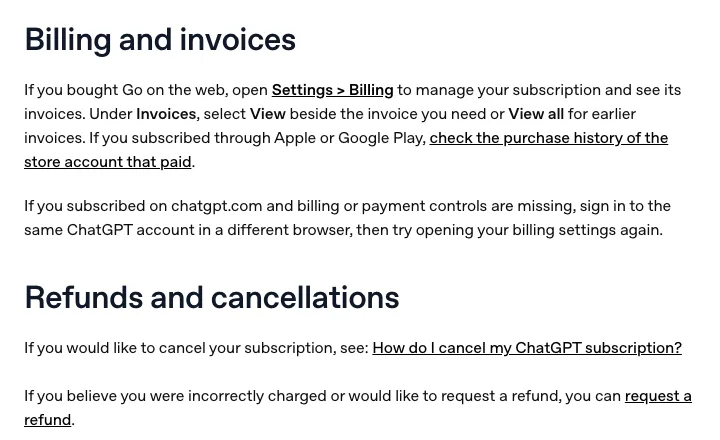
- It does not say whether the upgrade-day charge can be refunded. To ask, use OpenAI’s refund request; for app-store subscriptions, ask Apple or Google.
- If you no longer want Pro, change it before the next billing date, or you will be charged a full month of Pro again.

How much to keep on the card
- Upgrade day: the checkout amount + $1. Plus to Pro 100 is at most about $100, Plus to Pro 200 at most about $200 (more if tax is added).
- Next month: a full month of Pro ($100 or $200, or e.g. $108.90 with tax) + $1 + the $2.50 monthly fee.
- Paying several services from one card? Their billing dates can land on the same day, so keep enough for all of them together.
Top up the same card before you upgrade
- Open pinkcard.cc/en, click “Balance & Top Up” at the top, and enter the 16-digit card number and the 3-digit lookup code (the card’s CVV).
- Choose an amount (minimum $30) and pay with USDT on ERC-20 or BEP-20, USDC on ERC-20, or Alipay.
- Top-up cost: $5 plus 5% of (top-up amount + $5). $100 → $110.25, $200 → $215.25.
- Usually on the card within 5–10 minutes. The card number does not change, so ChatGPT keeps billing the saved card; upgrade once the money is there.
Already have a Pink Card? Enter the card number and lookup code to see transactions and top up
New card (disclosure: this is our product)
Pink Card is the overseas gift card built for AI subscriptions: a prepaid USD virtual card (Mastercard / Visa) for ChatGPT, Claude, Gemini and similar services. It has no official relationship with OpenAI.
- Choose an amount on pinkcard.cc/en: presets start at $50 ($50, $110, $220, $500, $1000), or enter a custom amount from $50.
- Pay with USDT on BEP-20 or ERC-20, or USDC on ERC-20. The card number, expiry and CVV arrive by email about 1–2 minutes after the payment confirms.
- Card issuance: $10 one-time, plus a 3% service fee on (card amount + $10). A $110 card costs $123.60, a $220 card $236.90.
- From the card balance: $1 per transaction (declined ones too, at most 3 declined charges per card per month) and $2.50 per month. Full fee table: pinkcard.cc/en/fees.
- Once the card details are emailed, the order cannot be cancelled, so double-check your email address before paying.
Buy a card: choose an amount on the Pink Card home page
Adding the card to ChatGPT, step by step with screenshots: How to use Pink Card with ChatGPT
Pro 100 vs 200 vs 500, what gets charged with tax and why Pro charges get declined: ChatGPT Pro payment declined
Claude works almost the same way when you upgrade Pro to Max: Upgrading Claude Pro to Max: what you pay and when
What each decline message on a prepaid card means: Virtual card decline messages explained
Two ChatGPT charges that are not an upgrade (app plus web, two accounts, credits): Charged twice for ChatGPT? The usual reasons
Chinese version (中文版,付款方式按中文站): ChatGPT Plus 升级 Pro 当天扣多少