Short answer: when you tap Upgrade inside the Claude app on Android, Google Play sells and bills the subscription. It charges the card in your Google payments profile, and the statement shows GOOGLE *Claude by Anth or GOOGLE*CLAUDE BY ANTH followed by a city: MOUNTAIN VIEW for US dollars, SINGAPORE for Singapore dollars, TOKYO for Japanese yen. The currency follows your Google Play country.
If it is declined, check the balance first. On cards we issued, from 2026-10-19 00:00 to 2026-11-18 10:08 Beijing time, there were 16 such charge attempts: 4 succeeded, 8 were declined and 4 were still pending. All 8 declines said the charge was larger than the money left on the card; none was about the card type or the merchant category. Top up, wait until it lands plus a few minutes, then pay once.
“Pending” is not a failure, so do not buy again. Charges in a foreign currency need a few dollars of headroom. You can also skip the app and subscribe on claude.ai, where the charge shows as ANTHROPIC* CLAUDE SUB. Steps, data and how much to keep on the card are below.
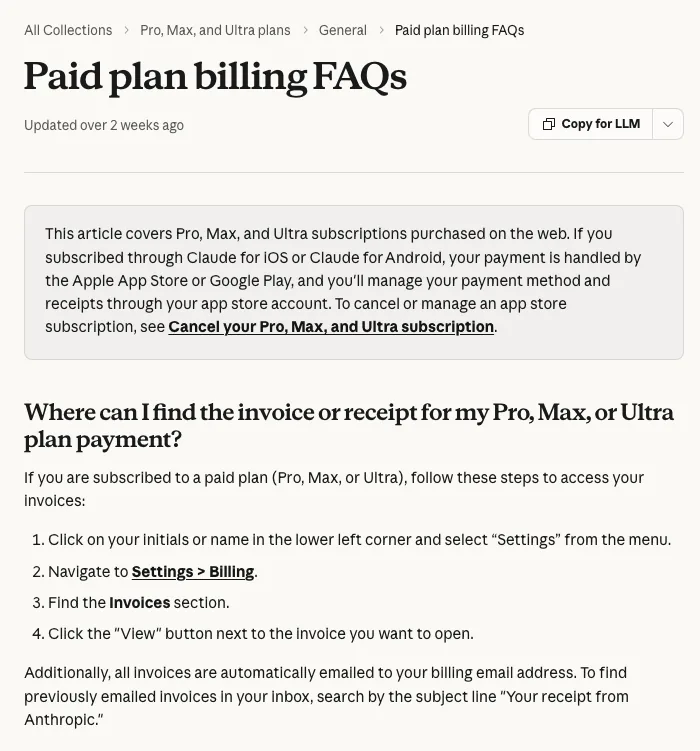
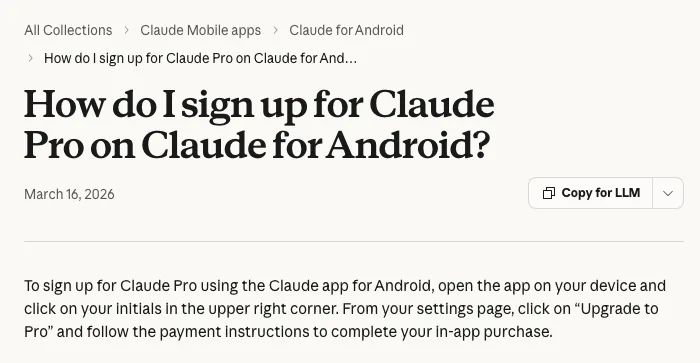
Written by the Pink Card team (pinkcard.cc). Rules are from the Claude Help Center (How do I sign up for Claude Pro on Claude for Android?, Paid plan billing FAQs, What is the Max plan?, Cancel your Pro, Max, or Ultra subscription, Request a refund for a paid Claude plan) and the Google Play Help Center (How to add, remove, or edit your Google Play payment methods), opened without signing in on 2026-11-18 Beijing time. Charge data: Pink Card-issued cards, card transactions whose merchant name starts with GOOGLE and contains CLAUDE, 2026-10-19 00:00 to 2026-11-18 10:08 Beijing time. Google and the card processor often record one attempt as two lines about 2 seconds apart; we merged same card, same amount, same result within 5 seconds into one attempt (24 lines → 16 attempts). No customer details are included. Pink Card is not affiliated with Anthropic or Google.
In the app vs on claude.ai: what changes
- Who charges you: in the Android app, Google Play handles the payment; on claude.ai, Anthropic does. The Claude Help Center says app subscriptions are paid through the Apple App Store or Google Play, and you manage the payment method and receipts in your app store account.
- Name on the statement: GOOGLE *Claude by Anth and its variants for the app; ANTHROPIC* CLAUDE SUB for claude.ai.
- Price: the Help Center lists Max at $100 a month for web subscriptions and notes that mobile pricing may vary by app platform. In the app, the amount in the Google Play payment sheet is what you pay.
- Card changes, receipts, cancelling: in Google Play, or in the app under your initials → Billing → Manage subscription. Settings → Billing on claude.ai cannot manage a Google Play subscription.
- Upgrades: for Google Play subscriptions you are charged the full price of the new plan, and the unused value of the old plan becomes extra days, so the renewal date lands a few days later than a full month. On the web you pay the new plan minus a prorated credit instead.
Subscribing in the Android app, step by step
- Add the card to Google Play first: on a computer, open play.google.com, click your profile icon → Payments & subscriptions → Payment methods, and add or edit a payment method. Enter the cardholder name exactly as in the card email, and a billing address in the same place your internet connection exits, down to the city.
- Check the balance: the price in the Google Play payment sheet (in your Play currency) converted to USD, plus a few dollars for exchange-rate movement, plus $1 per charge.
- Open the Claude app, tap your initials in the upper right, tap Upgrade to Pro, choose the card in the Google Play payment sheet and pay once.
- Check the card record: if it says pending, wait; if declined, read the reason (below), top up, then pay again.
- Renewals, card changes and cancelling all happen in Google Play, or in the app under your initials → Billing → Manage subscription.
What the charge looks like
| Merchant name on the card (city) | Currency | Amounts we saw | Booked in USD |
|---|---|---|---|
| GOOGLE *Claude by Anth MOUNTAIN VIEW, GOOGLE*CLAUDE BY ANTH MOUNTAIN VIEW, Google Claude by Anth Mountain View | USD | $20.00, $22.00 | $20.00, $22.00 |
| GOOGLE*CLAUDE BY ANTH SINGAPORE, Google Claude by Anth SINGAPORE | SGD | SGD 29.98 | $23.90, $23.95 |
| GOOGLE*CLAUDE BY ANTH TOKYO | JPY | ¥2,900, ¥3,400, ¥21,250, ¥42,500 | $18.54, $22.09, $137.47, $274.95 |
- Foreign-currency charges are converted at the rate of the day: the same SGD 29.98 was booked once as $23.90 and once as $23.95. Keep a few dollars more than the Play price.
- The same merchant appears with different capitals and spacing (GOOGLE *Claude by Anth, GOOGLE*CLAUDE BY ANTH, Google Claude by Anth); they are the same kind of charge.
- None of the 16 attempts was a small verification amount such as $1.95.
Why it was declined: all 8 declines were balance
- “The value is greater than the maximum single transaction value”: the charge was bigger than the balance, 3 times.
- “You have exceeded the monthly transaction amount limit”: the balance was already used up, 4 times (3 of them on one card with $0 left, which Google retried every few days).
- “You have exceeded the cumulative amount limit for this card”: also a used-up balance, once.
We checked every declined card. In 7 attempts the balance was below the charge (for example, $220 on the card against ¥42,500, or $274.95). The other one was a retry 1 minute after a top-up landed; it was declined, and a retry about 15 minutes later went through. No decline was a restricted merchant category, a blocked card or a region issue, and the successful and declined attempts used the same card product. The only difference was whether the balance covered the charge.
What to do after a decline
- Read the decline reason on the card. The three above all mean “not enough money”; top up, no need to change cards.
- Work out the amount: the Play price in USD + a few dollars for exchange rates + $1.
- A top-up usually lands within 5–10 minutes. After it lands, wait a few more minutes before paying; we saw a retry 1 minute after landing fail and one 15 minutes later succeed.
- Pay once. On a Pink Card each declined charge also costs $1 (at most 3 failed charges per card per month).
- For a renewal that failed, Google tries again by itself: one card with $0 left was retried 3 times in November. Top up before the next attempt, or cancel in Google Play.
“Pending”: do not buy again
- 4 of the 16 attempts were pending. The amount is held from the balance right away (a $50 card with a $20 pending charge shows $30).
- Google charges usually settle within a few days: of 205 transactions from merchants starting with GOOGLE on our cards between 2026-10-19 and 11-16 Beijing time, only 1 was still pending when we checked.
- Subscribing again while one is pending can end with two charges. Check your Google Play subscriptions and order history first.
Google’s $1.95 payment-method verification
When you add a card, Google sometimes asks you to verify it with a small charge (usually $1.95, merchant name like GOOGLE*ABC 123456). On our cards this rarely works: from 2026-10-19 to 11-18 Beijing time, 43 of 45 such charges were declined as a restricted merchant category and the other 2 expired and were reversed. These charges do not name an app, and none of the 16 Claude attempts was one. If Google asks for verification, see whether it offers another method.
Google temporary holds and verification charges explained: GOOGLE *TEMPORARY HOLD and verification charges
Upgrades, cancelling and refunds
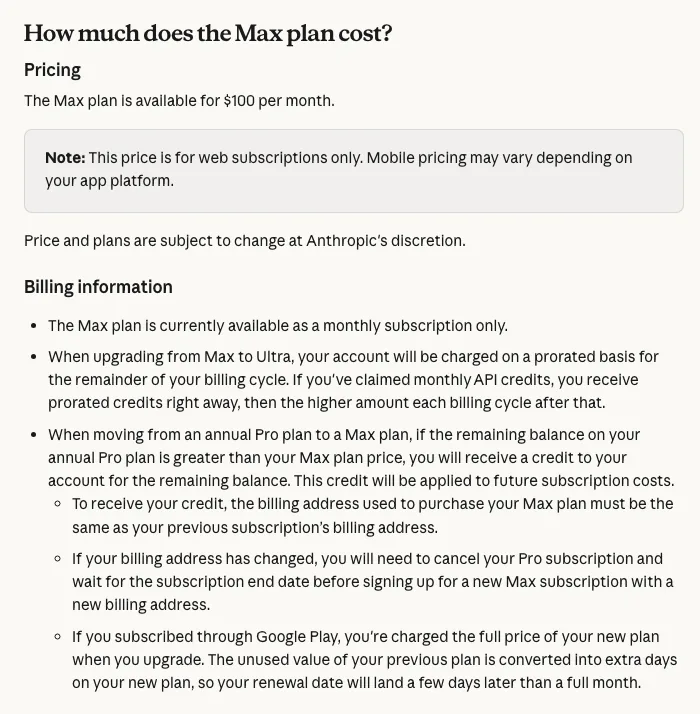
- Upgrade: Google Play charges the full price of the new plan, so keep a full month of the new plan on the card on the day you upgrade.
- Cancel: in the app, your initials → Billing → Manage subscription, or in Google Play subscriptions. The Help Center recommends cancelling at least 24 hours before the next billing date.
- Refund: the Help Center says payments are non-refundable except as stated in the terms or required by law; for Android subscriptions, Claude support checks eligibility first.
How web upgrades from Pro to Max are charged instead: Claude Pro to Max upgrade charge
Or subscribe on claude.ai
To skip Google Play, sign in on claude.ai and subscribe under Settings → Billing; the card shows ANTHROPIC* CLAUDE SUB and is charged in USD. Do not subscribe in both places, or both will bill you; cancel the Google Play one first. Web declines are mostly balance too: in the same window, 9 of 11 declined ANTHROPIC* CLAUDE SUB records on our cards were balance or limit messages, and 2 were a wrong expiry date entered several times.
Web checkout declines and fixes: Claude Pro virtual card declined
Paying with a Pink Card (disclosure)
Disclosure: Pink Card is our product, a USD prepaid virtual card (Mastercard / Visa) issued abroad, mainly used for AI subscriptions such as ChatGPT, Claude and Gemini, and also for gift cards and website subscriptions. It is not affiliated with Anthropic or Google. Pick an amount on pinkcard.cc, pay with USDT (BEP-20 or ERC-20) or USDC (ERC-20), and the card number, expiry and CVV arrive by email about 1–2 minutes after payment.
- Card issuance: $10, plus a 3% service fee on (card amount + $10). Presets start at $50 (custom from $50): a $50 card costs $61.80.
- Monthly fee $2.50, from the card balance.
- $1 per transaction, also charged on failed ones, at most 3 failed charges per card per month.
- Top-up of the same card: $5 plus 5% of (top-up amount + $5), minimum $30 (a $30 top-up costs $36.75), usually on the card within 5–10 minutes; the card number stays the same, so nothing needs to be re-added in Google Play.
Ready to get a card? Pick an amount on the Pink Card purchase page
Already have a Pink Card? Check the transactions and top up the card
Adding the card in Claude, with screenshots: How to use your Pink Card with Claude
All AI charge names on a card statement: AI subscription charge names explained
The same question for ChatGPT: ChatGPT Plus Google Play payment declined
Chinese version (中文版,付款方式按中文站): 安卓 Claude App 里用 Google Play 订阅怎么付款