Short answer: buying a domain once does not require a USD card. NameSilo and Spaceship both show Alipay at checkout (Spaceship added CNY-denominated Alipay in October 2024), and Namecheap accepts UnionPay cards directly. The problem is auto-renewal: Alipay is a one-time payment method and cannot be set up for recurring billing, so if you want "set it and forget it" renewal, you need either a card on file or a prepaid account balance.
Namecheap's own knowledge base describes auto-renewal as charging account funds first, then the card on file; PayPal cannot be used for domain auto-renewal at all. Renewal attempts start 30 days before expiry and, if they fail, retry every 24 hours until they succeed or the domain expires. NameSilo attempts the card before the expiry date (typically the first week of the month the domain is due to expire) and, if every attempt fails, the domain enters a 30-day Auto-Renew Grace Period after expiry — the site may go offline, but the domain itself is not lost and can still be renewed without a penalty fee during that window.
Written by the Pink Card team (pinkcard.cc). Payment-method and auto-renewal rules are from the Namecheap Knowledge Base article "Do you accept all types of Visa, MasterCard, and AmEx cards?" and Spaceship's own X announcement (October 2024) about CNY Alipay support; the auto-renewal grace-period mechanics are from the NameSilo Blog article "What Happens if My Credit Card Declines During Domain Auto-Renewal?" — all opened without signing in and captured 2026-11-26 Beijing time, subject to change, defer to the live checkout page. Card data is a read-only query run 2026-11-26 Beijing time, covering 2026-08-28 to 2026-11-26 (90 days), on cards Pink Card issued itself, excluding partner-channel and internal test cards; totals only. Pink Card has no official relationship with any of these registrars.
What each registrar accepts

| Registrar | One-time payment | Auto-renewal charges | Real charges on our cards |
|---|---|---|---|
| Namecheap | Visa, Mastercard, Discover, AmEx (all products incl. prepaid/virtual/gift cards), Diners Club, JCB, UnionPay, PayPal | Account funds first, then the card on file; PayPal cannot be used for auto-renewal | No record on our cards in this 90-day window |
| NameSilo | Card, PayPal, Alipay shown at checkout (defer to the live checkout page) | Account Funds first, then the card on file | 2 successful ($1.88, $3.87), 1 declined (insufficient funds) |
| Spaceship | Card (incl. UnionPay), PayPal, Alipay (CNY, since Oct 2024) | Per the renewal settings in the account | 1 reversed $0.05 card-verification charge |
| GoDaddy | Card (incl. UnionPay), PayPal, Alipay | Card or PayPal on file | 3 successful on 2 cards, $717.78 total |
What happens when auto-renewal fails
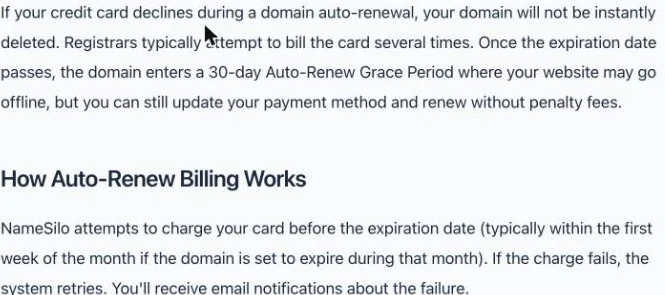
- Namecheap: starts trying 30 days before expiry, retries every 24 hours on failure, until it succeeds or the domain expires.
- NameSilo: attempts the card before expiry (typically the first week of the expiry month), retries and emails you on failure; after expiry the domain enters a 30-day grace period with no penalty fee, then goes to auction.
- On a prepaid card, every failed retry can cost a failed-transaction fee on our end (capped at 3 per card per month) — so top up well before the expiry month, not after the first decline email.
- If you are retiring a card, swap the default payment method in the registrar's account first, so auto-renewal does not keep hitting a dead card until the domain actually expires.
Buying a domain (using Namecheap as an example)
- Search the domain, add it to cart, and review the term length and add-ons (privacy protection, email, site builder) before checkout — uncheck anything you do not need.
- The first year is often a promo price; renewal is usually noticeably higher — check the renewal price on the domain or checkout page and budget for that, not the first-year price.
- Paying once: choose Alipay (NameSilo, Spaceship, GoDaddy) or a UnionPay card (Namecheap).
- Setting up auto-renewal: save a card as default, or pre-fund the account balance, then turn on Auto-Renew in your domain list.
- Choose USD as the billing currency where offered — we have seen GoDaddy charge in a local currency and convert, adding an extra conversion step.
How much to keep on the card
- Budget the renewal-page price for one .com, plus our $1 per-transaction fee.
- Several domains renewing the same month: add them up — NameSilo bills in a batch at the start of that month.
- Pink Card also charges a $2.50 monthly fee from the balance. A card used only for one yearly domain renewal is not very cost-effective; it works better shared with other monthly subscriptions (Cloudflare, ChatGPT, etc.).
- Do not want to keep a card on file at all: pre-fund the account balance at Namecheap or NameSilo instead — auto-renewal draws from that first.
Paying with Pink Card (disclosure)
Disclosure: Pink Card is the overseas gift card we make, built for AI subscriptions — a prepaid USD virtual card (Mastercard / Visa) that also works for domain registrars, with no official relationship to any of them. Honestly: for a single domain purchase, Alipay or a UnionPay card is cheaper — do not get a card just for that. A card makes sense if you want auto-renewal, want to settle in USD, or already use the same card for other overseas subscriptions. We have successful charges at NameSilo and GoDaddy, but nothing is guaranteed on every card or every charge — test with a small amount first. Choose an amount on pinkcard.cc, pay, and the card number, expiry and CVV arrive by email about 1–2 minutes later.
- Issuance: $10 one-time plus 3% service fee on (card amount + $10). Web checkout presets start at $50 (custom amounts from $50).
- A $1 fee applies per transaction, including declined ones (at most 3 per card per month).
- $2.50 monthly fee from the balance.
- Top-up: $5 plus 5% on (top-up amount + $5), minimum $30, usually credited within 5–10 minutes; the card number stays the same.
Buy a card: choose an amount on the Pink Card home page
Already have one: enter the card number and lookup code to see transactions and top up
Once the card details are emailed, the order cannot be cancelled, so double-check your email address before paying.
Cloud servers on Vultr or DigitalOcean also need a card for some payment paths — official methods differ: Which overseas sites actually need a USD card
Chinese version (中文版,付款方式按中文站): Namecheap、NameSilo、Spaceship 买域名怎么付款