How to add your card to Claude and subscribe to Pro / Max
Claude plans are bought on claude.ai. First check that your account was not subscribed on iPhone, then enter the card. Card number, expiry, CVC and billing address are in your card email.
Steps
- 1
Check the plans
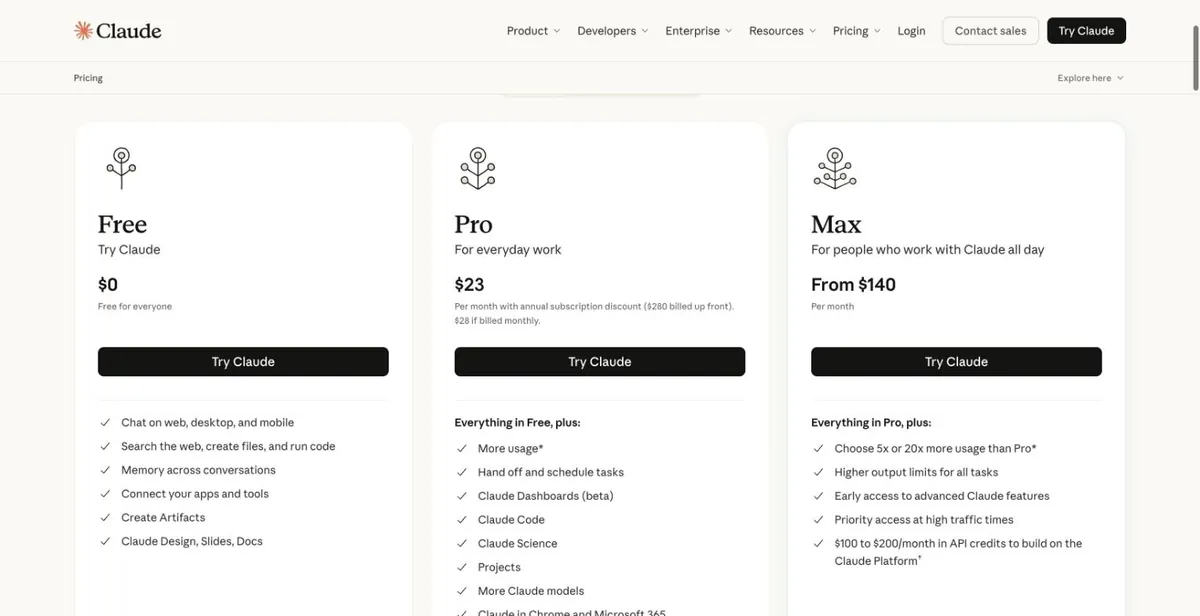
Open claude.com/pricing in a browser, look at Pro and Max, and click "Try Claude" to sign in. The screenshot was opened in Canada; the currency and prices are whatever the page shows you.
claude.com/pricing - 2
Open Billing
On claude.ai, click your avatar (bottom left) → Settings → Billing. Web subscribers can upgrade and manage the payment method here. If it says "Subscribed via iOS app", the account was subscribed on iPhone — see the note above.
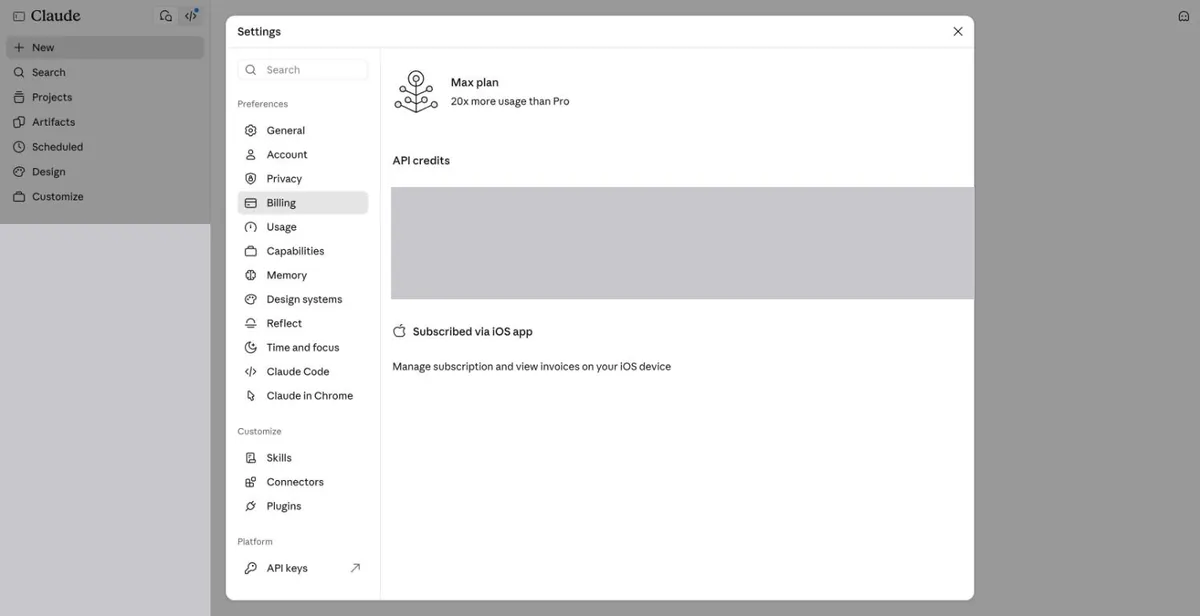
An iPhone-subscribed account: Billing shows "Subscribed via iOS app" (personal info masked) - 3
Upgrading an iPhone-subscribed account
Such an account sees "Upgrade in the iOS app" when it tries to upgrade on the web, with a code to open the phone app. A card can’t be added on the web.
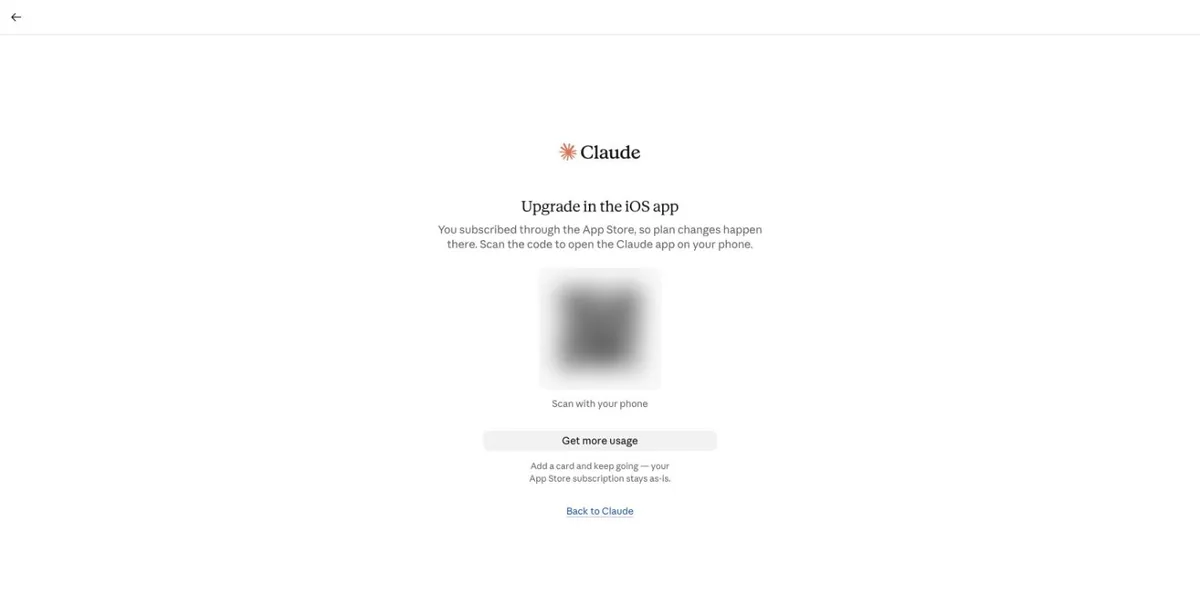
What an iPhone-subscribed account sees when upgrading on the web (QR code blurred) - 4
Web subscription: enter the card
Pick a plan, then on the payment page enter the card number, expiry, CVC and billing address from your card email (country and postcode must match), and confirm.
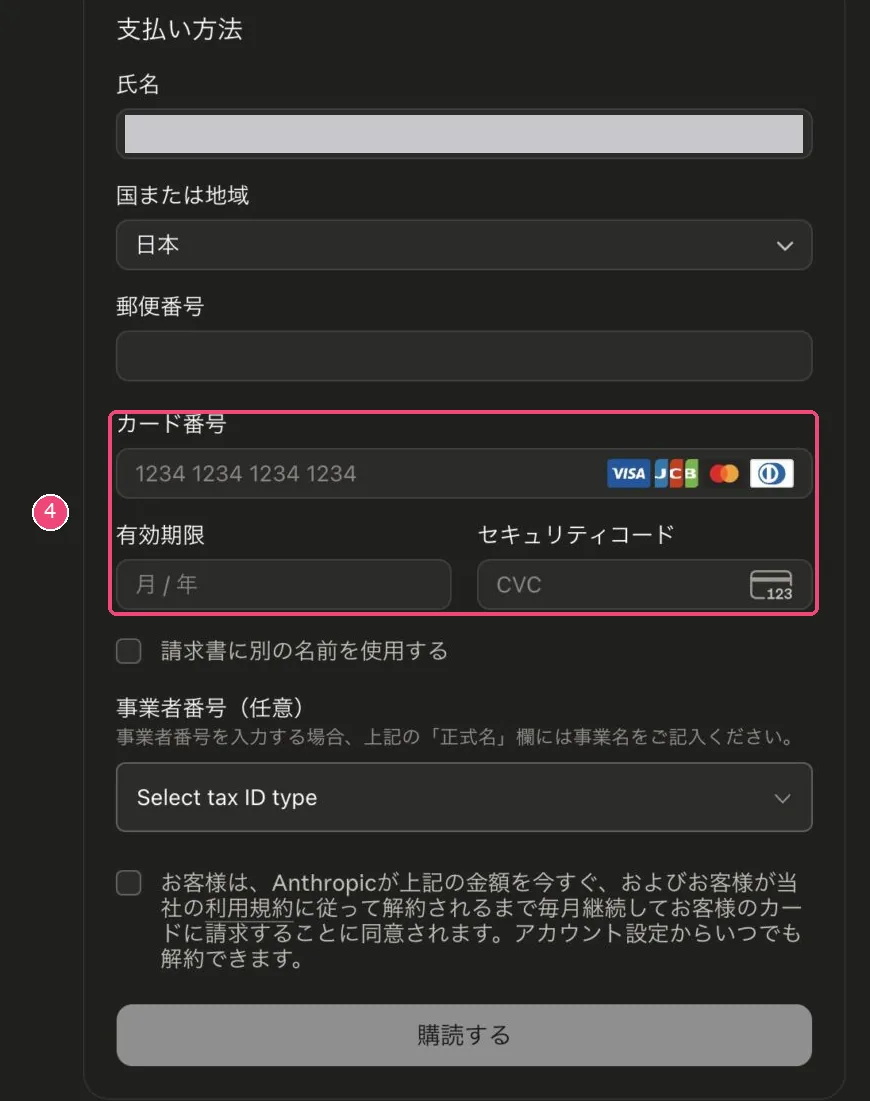
claude.ai web checkout (Japanese UI; the English one has the same fields; name masked) Image source: ameiroyou.com (link). If this infringes your rights, email [email protected] and we will remove it right away. - 5
Check it worked
Back in Settings → Billing you should see your plan and the last digits of the card.
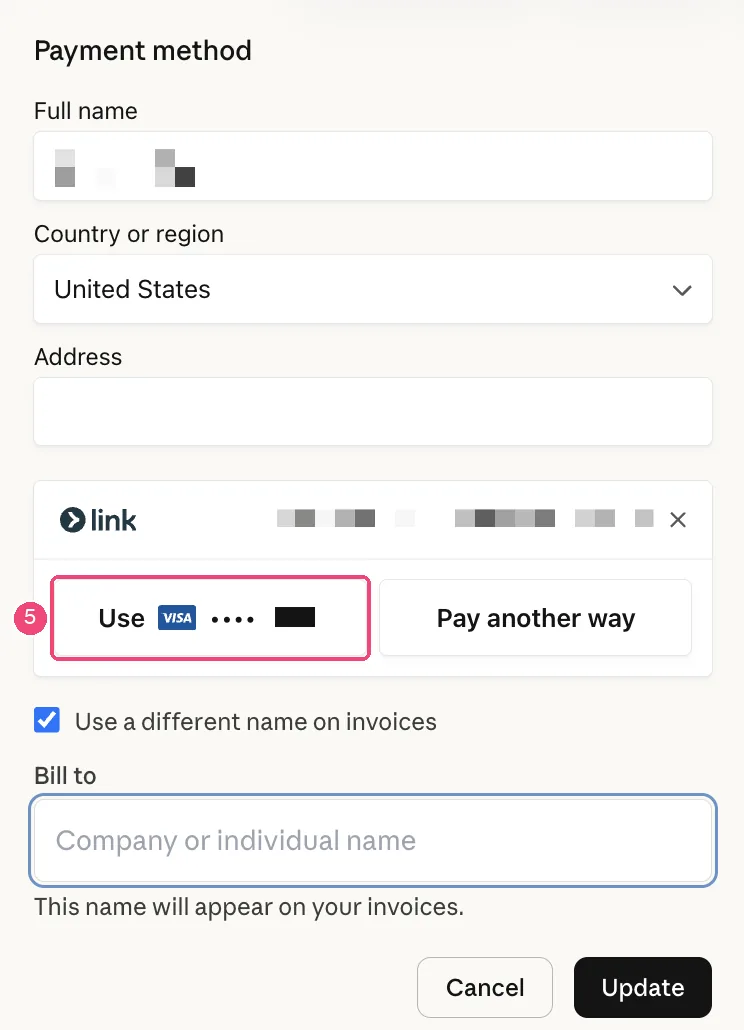
To change the card later: the payment-method form opened by Update in Billing (personal info masked in the original) Image source: Claude Help Center (link). If this infringes your rights, email [email protected] and we will remove it right away.
Suggested balance (tax included)
- Pro: keep at least $24 on the card. List price $20; with tax the real charge is about $21–22, plus the $1 fee per charge (based on real charges on our cards over the last 60 days: 11 Pro charges, 9 at $20 and 2 with tax at $21.00 and $21.78).
- Max ($100 plan): keep at least $110. On our cards 6 charges were $100 and the tax-included ones were $105.00, $106.25 and $108.88.
- Max ($200 plan): keep at least $220. On our cards 12 charges were $200 and the tax-included ones were $210 and $218.
Plans and prices as shown on the official page: claude.com/pricing
Common reasons it fails
Why Claude charges on our cards failed over the last 60 days (share of failed charges):
- About 82%: not enough balance. Tax may be added based on the billing address, so the charge can be above the list price — keep a few dollars extra.
- About 13%: wrong expiry date. After repeated wrong expiry entries the issuer locks the card, and even the right date stops working. If it fails once, stop and check the card email carefully.
- About 5%: the card was already cancelled (Blocked) and Claude kept charging the old card. Switch to your current card in Billing.
- Some charges were reversed — the merchant cancelled or refunded the charge. That is not a card problem.
- Payment went through, then hours or days later it shows as cancelled, or the card was charged and then refunded: that is Claude declining a new subscription in its own review, not a card problem, and the money goes back to the card. This happens to new subscriptions; existing monthly renewals are not affected. Don’t keep retrying the same day — it will most likely be cancelled again. Wait a few days and try once more, or use the card for ChatGPT, Gemini or another service in the meantime.
Check the balance and transactions, or top up this card: Card lookup & top-up
Renewal failed? Read: Claude Pro renewal failed
Claude help: Paid plan billing FAQs
Still stuck? Contact support
Tell us which step failed and what the page said — a screenshot helps.