How to add your card to Cursor and subscribe
Cursor is bought on cursor.com. In October 2026 the plans became Free, Plus, Premium, Super and Ultra — the old Pro is no longer on the pricing page; prices are whatever cursor.com/pricing shows. Card number, expiry, CVC and billing address are in your card email.
Steps
- 1
Pick a plan
Open cursor.com/pricing in a browser, pick a plan and click its "Get …" button.
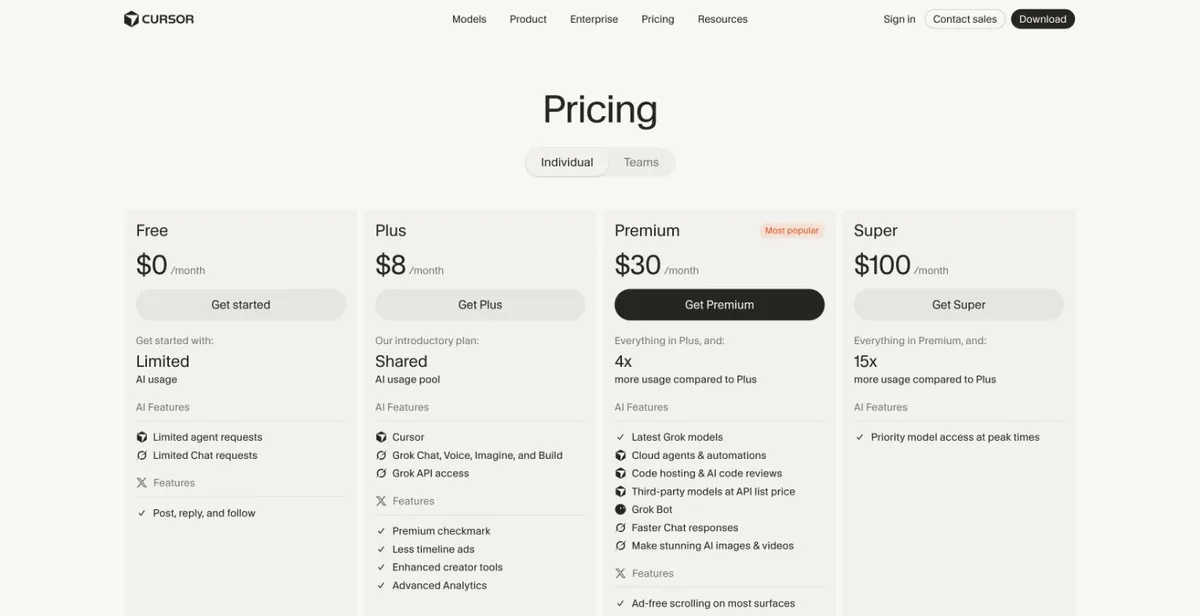
cursor.com/pricing (signed out; prices as shown on the page) - 2
Sign in
Sign in to your Cursor account.
Screenshot coming — follow the text above for now. - 3
Enter the card
On the payment page enter the card number, expiry, CVC and billing address from your card email, then confirm.
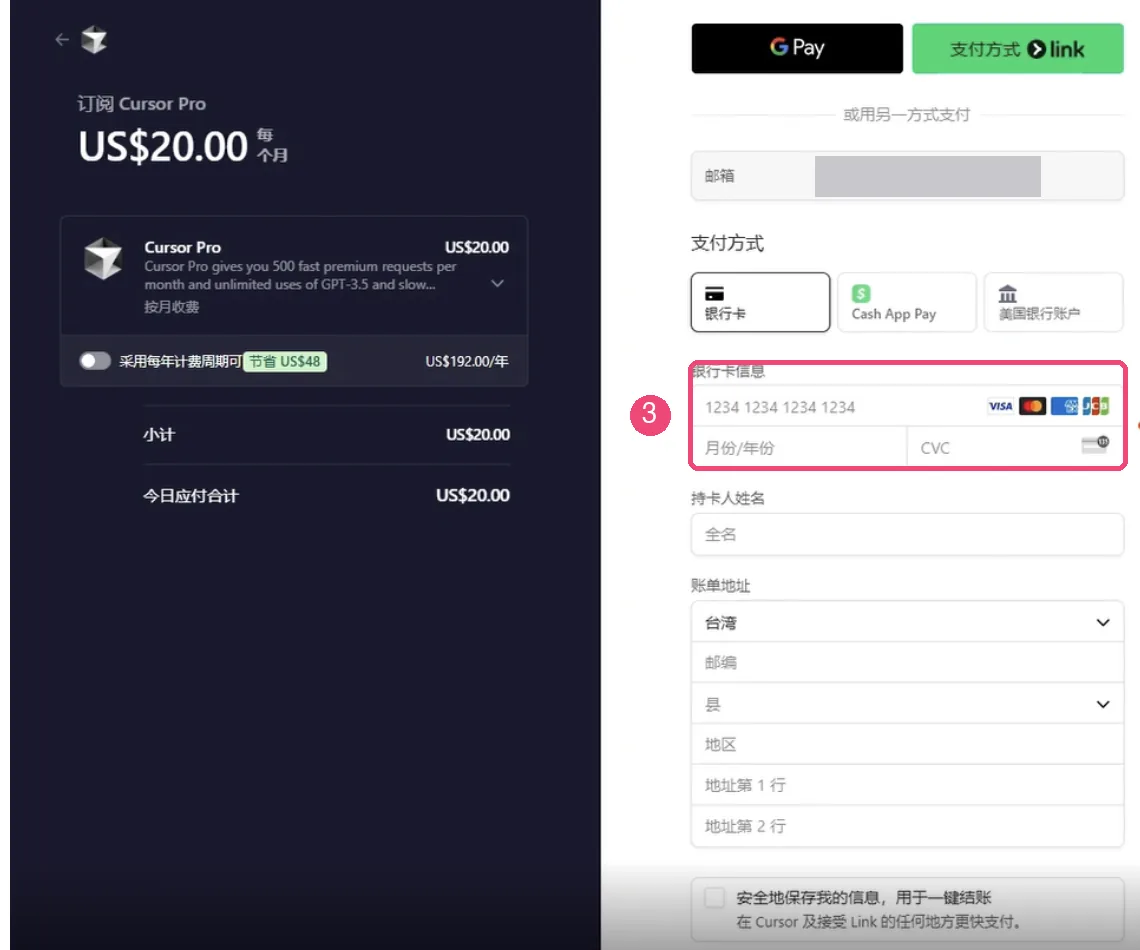
Cursor checkout (2025, Pro-plan era, Chinese UI; email masked). Plan names have changed; the form is the same Image source: csguide.cn (link). If this infringes your rights, email [email protected] and we will remove it right away. - 4
Check billing
After subscribing, cursor.com Dashboard → Billing shows your plan and card. Change the card or cancel there.
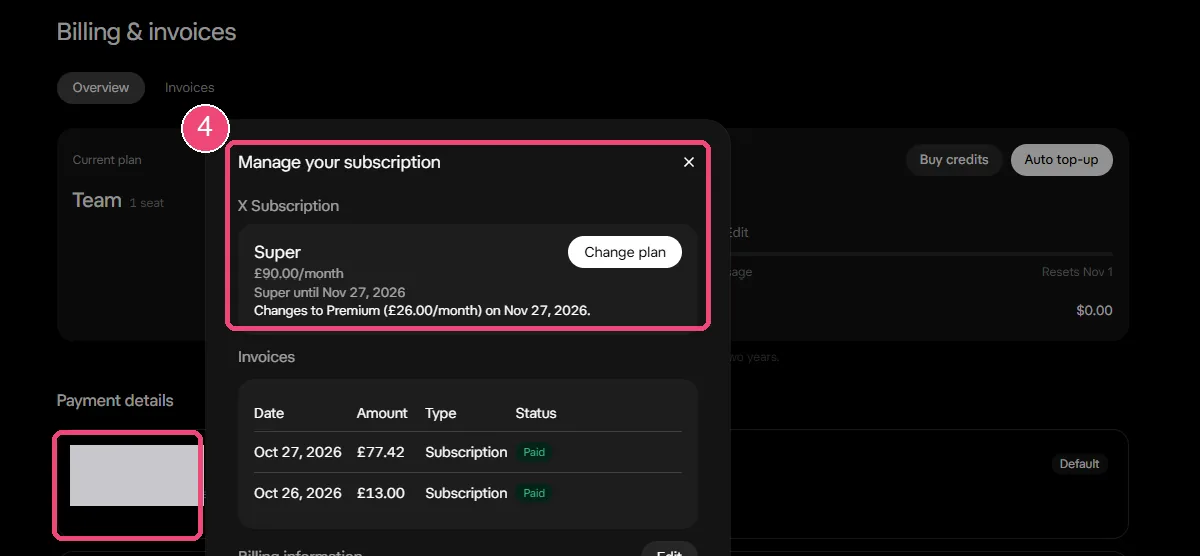
cursor.com Billing & invoices (October 2026): manage the subscription at the top, the card under Payment details (card number masked) Image source: Cursor Forum (link). If this infringes your rights, email [email protected] and we will remove it right away.
Suggested balance (tax included)
- Small sample: only 3 successful Cursor charges on our cards in the last 60 days, all different amounts — not enough for a reliable suggestion.
- Keep the price shown on cursor.com/pricing plus any tax for your region, plus the $1 fee. A yearly charge above $2,000 cannot go through.
Plans and prices as shown on the official page: cursor.com/pricing
Common reasons it fails
Cursor charges on our cards are few — only 5 failed in the last 60 days, so treat this as a small sample:
- 3: the card was already cancelled (Blocked) and Cursor kept charging the old card. Switch cards in Billing.
- 2: paid before a top-up had arrived, so the balance was short. Top-ups usually arrive within 5–10 minutes; pay after that.
Check the balance and transactions, or top up this card: Card lookup & top-up
Card declined on Cursor? Read: Cursor card declined
Cursor help: Billing and payments
Still stuck? Contact support
Tell us which step failed and what the page said — a screenshot helps.