How to add your card to Grok and subscribe
Grok plans are bought on grok.com. Card number, expiry, CVC and billing address are in your card email.
Steps
- 1
Check the plans
Open grok.com/supergrok in a browser. The screenshot shows Plus / Premium / Super / Ultra in CAD (opened in Canada); plan names and prices are whatever the page shows you.
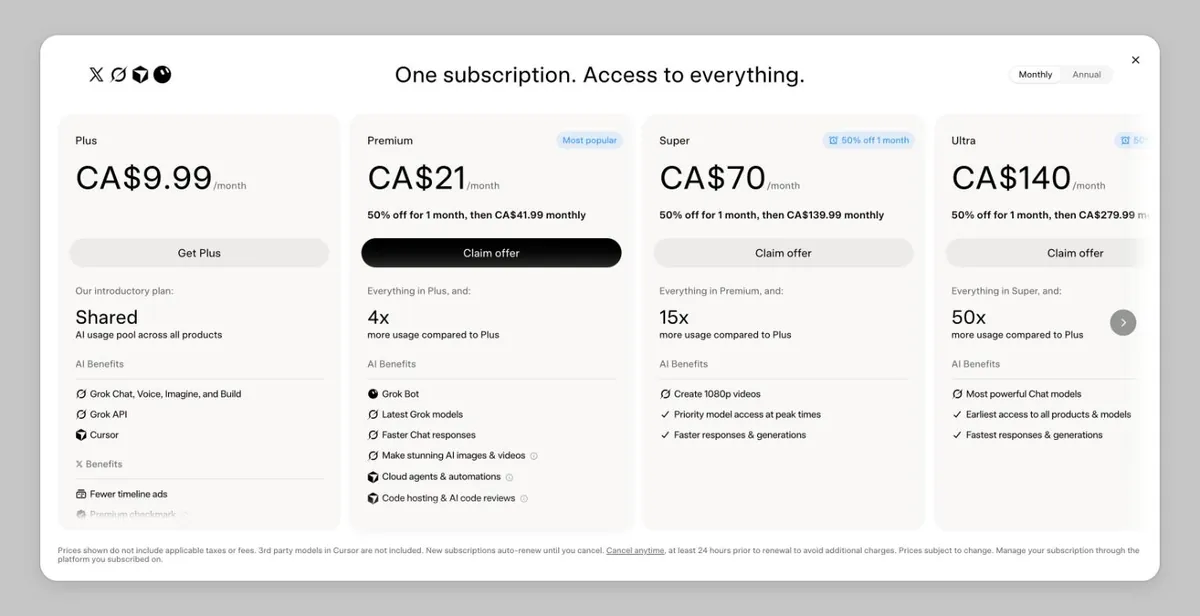
grok.com plans (signed out) - 2
Sign in
Sign in to grok.com — an X account works.
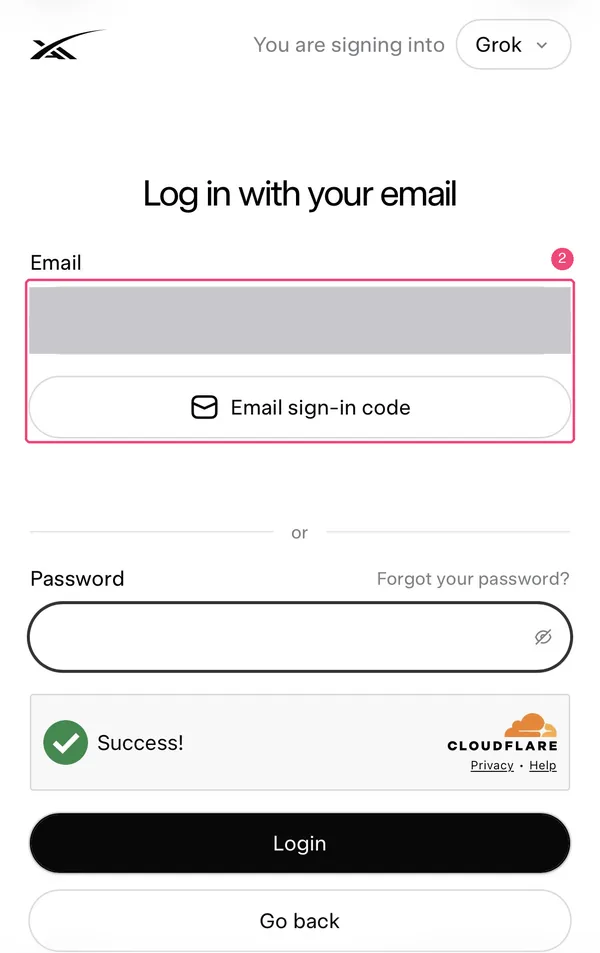
xAI sign-in page accounts.x.ai (mobile browser, email masked) Image source: Cursor Forum (link). If this infringes your rights, email [email protected] and we will remove it right away. - 3
Pick a plan and enter the card
On the payment page enter the card number, expiry, CVC and billing address from your card email, then confirm.
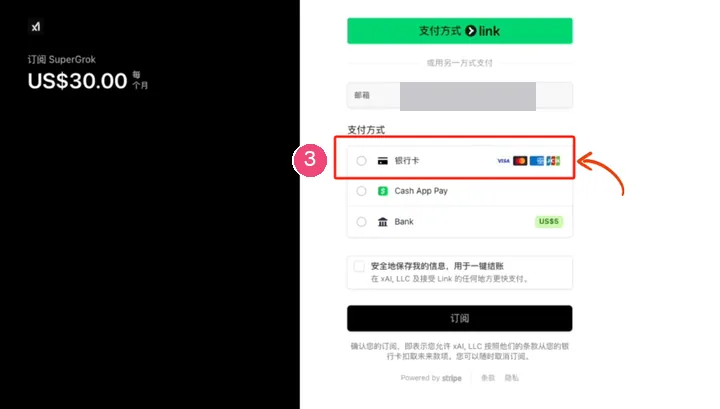
SuperGrok checkout (2025, Chinese UI): choosing Card opens the card number, expiry, CVC and billing address fields (email masked; red box by the original author) Image source: littlemagic8.github.io (link). If this infringes your rights, email [email protected] and we will remove it right away. - 4
Check it worked
Your subscription shows in your grok.com account settings, where you can also change the card or cancel.
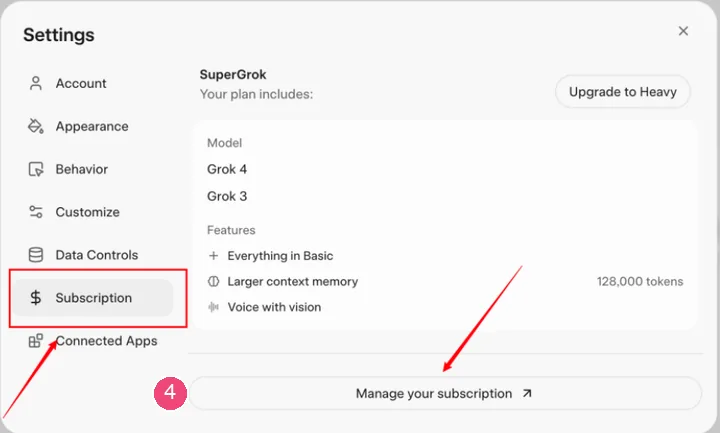
grok.com Settings → Subscription → Manage your subscription (2025 design; red marks by the original author) Image source: littlemagic8.github.io (link). If this infringes your rights, email [email protected] and we will remove it right away.
Suggested balance (tax included)
- $15 charges (the most common on our cards): keep at least $19 on the card. 23 were charged at $15 and 17 came to $15.6–17.3 with tax, plus the $1 fee per charge (based on real charges on our cards over the last 60 days).
- $30 charges: keep at least $34. On our cards 3 were $30 and 4 came to $31.2–32.7 with tax. On plans with a half-price first month, month two is charged at full price — keep the full price before renewal.
- Other plans: keep the tax-included total shown on the payment page plus $1.
Plans and prices as shown on the official page: grok.com/supergrok
Common reasons it fails
Why Grok / xAI charges on our cards failed over the last 60 days (share of failed charges):
- About 86%: not enough balance — mostly the full-price second month after a half-price first month.
- About 12%: the card was already cancelled (Blocked) and the old card kept being charged. Switch cards in your grok.com account settings.
- About 2%: wrong expiry date.
- October on its own: charges from xAI on our cards (merchant name GROK XAI — subscriptions and API credits use the same name, so they can’t be told apart) totalled 186, with 116 successful and 70 failed. 69 of the 70 failures were a charge above the card’s balance or limit; 1 was a wrong expiry date.
- Round amounts like $5, $10, $20, $50 and $100 (typical of API credit purchases) made up 61 of those charges, and 29 of them failed — a clearly higher failure share than other amounts. Before buying API credits or turning on auto top-up, make sure the card holds the amount + $1.
Check the balance and transactions, or top up this card: Card lookup & top-up
Renewal failed? Read: Grok renewal failed
Still stuck? Contact support
Tell us which step failed and what the page said — a screenshot helps.